
How Automated Order Sync Works Between Shopify and a China 3PL Warehouse
Every order placed on your Shopify store has to reach your warehouse before it can ship. Here's exactly how that hand-off works when it's automated and what breaks when it isn't.
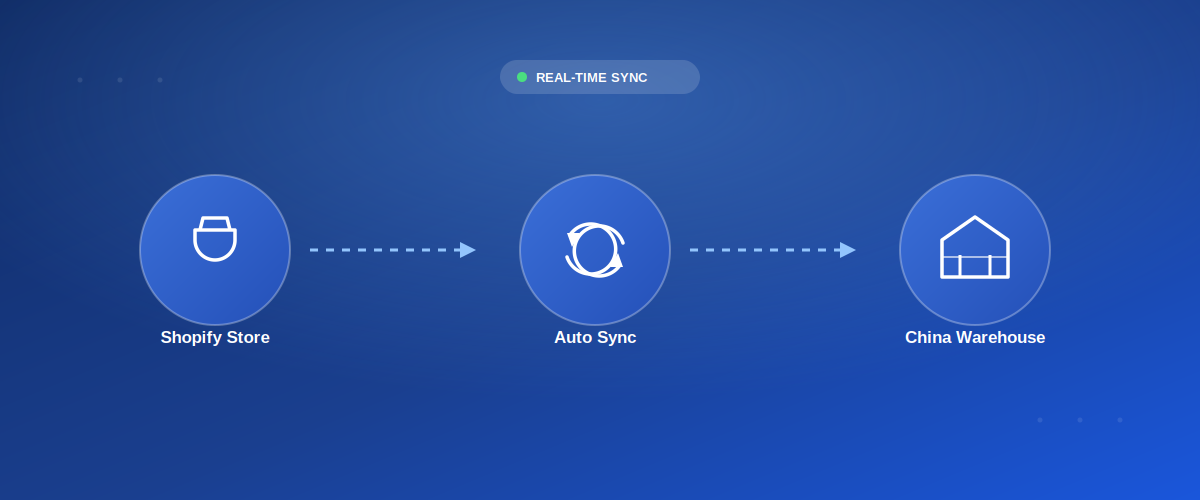
Every order placed on your Shopify store has to reach your warehouse before anyone can pick, pack, or ship it. At low volume, copying that information by hand is annoying but survivable. At 50, 100, or 500 orders a day, manual hand-off isn't just slow it's the single most common cause of delayed shipments, wrong addresses, and oversold inventory.
Automated order sync is what removes the human middle step. Here's exactly how it works between a Shopify store and a China-based 3PL warehouse, what data actually moves, and where sellers most often get it wrong.
📋 Table of Contents
- Why Manual Order Handling Breaks Down
- The Sync Flow, Step by Step
- Integration Methods: API vs App vs Order Sheet
- What Data Actually Gets Synced
- Inventory Sync: Preventing Overselling
- Tracking Sync: Closing the Loop
- Common Sync Failures and How to Prevent Them
- Manual vs Automated: A Side-by-Side Look
- Frequently Asked Questions
Why Manual Order Handling Breaks Down
At a handful of orders a day, exporting a CSV and emailing it to your warehouse works fine. The trouble starts as volume grows: someone forgets to send the file, a row gets deleted mid-copy, or an address with an apartment number gets truncated when pasted into a chat message. None of these are dramatic failures on their own but each one is a refund, a re-ship, or an angry customer.
The deeper problem is timing. Manual hand-off usually happens once or twice a day in a batch. That means an order placed at 9am might not reach the warehouse until the evening batch adding a full day to your fulfillment time before the box has even left the shelf.
The Sync Flow, Step by Step
Regardless of which integration method you use, automated order sync generally follows the same sequence:
-
Customer Places an Order on Shopify
Checkout completes, payment is captured, and Shopify creates an order object containing the customer's shipping address, line items, and selected shipping method.
-
The Order Fires a Webhook or API Event
Shopify's
orders/createwebhook (or a polling API call) notifies the connected integration whether that's a warehouse management system (WMS), a middleware app, or a custom script that a new order exists. -
SKU Mapping Translates Your Product IDs
Your Shopify SKU gets matched to the corresponding item code in the warehouse's inventory system. This step is where mismatched or missing SKU mappings most commonly cause an order to fail silently.
-
The Order Lands in the Warehouse Queue
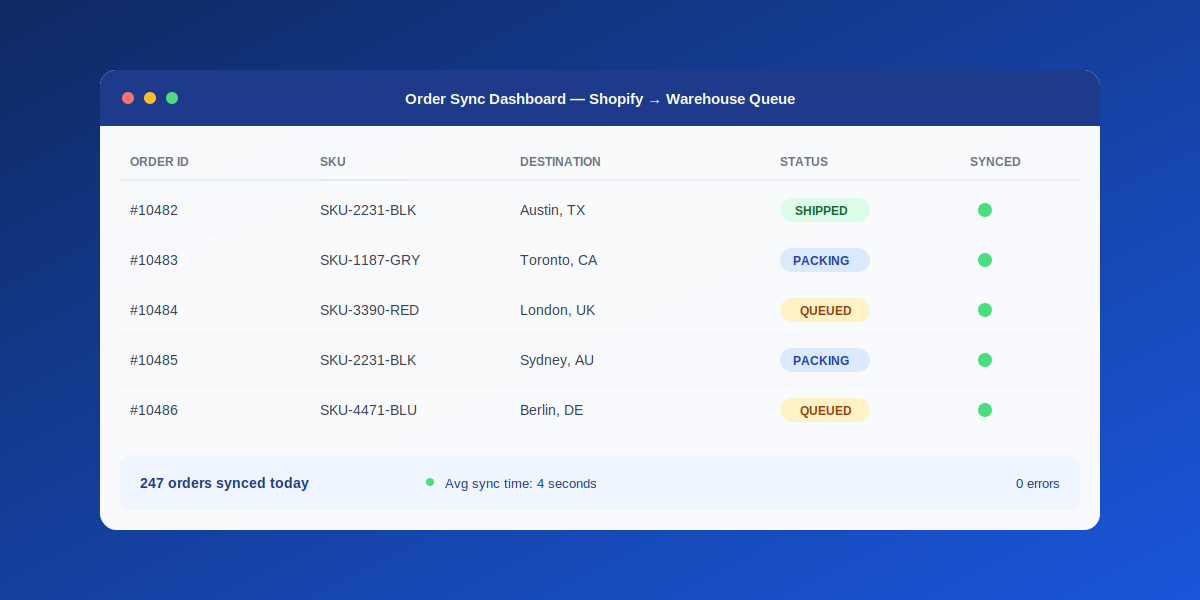
Once mapped, the order appears in the 3PL's picking queue often within seconds of checkout with the address, item, and quantity ready for a warehouse staff member to act on.
-
Pick, Pack, and Label Generation
Staff pick the item, pack it (with your branded materials if applicable), and the system generates a shipping label and tracking number through the relevant carrier.
-
Tracking Number Syncs Back to Shopify
The tracking number is pushed back into the Shopify order, which triggers Shopify's native "your order has shipped" notification email to the customer closing the loop without manual entry.
Integration Methods: API vs App vs Order Sheet
Not every seller needs the same level of automation. The right method depends mostly on order volume.
| Method | How It Works | Best For |
|---|---|---|
| Shared Order Sheet / CSV | Orders exported manually or on a schedule, warehouse imports the file | Under ~20 orders/day, early testing |
| Connector App | Pre-built app polls Shopify and pushes orders automatically | Growing stores wanting automation without custom dev |
| Direct API / Webhook | Real-time push the moment an order is placed, fully custom | High-volume stores, multi-warehouse setups |
For sellers scaling past the testing phase, this is usually the point where it makes sense to move from an ad-hoc spreadsheet to a proper Shopify-to-agent integration that removes the manual step entirely.
What Data Actually Gets Synced
- Order details — SKU, quantity, variant (size/color), and any custom notes attached at checkout
- Shipping address — full address including apartment/unit number, formatted to the carrier's requirements
- Shipping method — which service level the customer selected or was assigned (standard, express, etc.)
- Customer contact info — email and phone, used for delivery notifications and customs documentation
- Order and tracking status — pushed back to Shopify once the item ships
Inventory Sync: Preventing Overselling
Order sync solves outbound flow but inventory sync solves the reverse problem: making sure Shopify knows what's actually left in the warehouse. Without it, you can keep selling a product for hours or days after it's already run out, generating orders that can't be fulfilled and refunds that damage customer trust.
Tracking Sync: Closing the Loop
Once a package ships, the tracking number needs to travel back into Shopify automatically so the customer gets a real notification instead of radio silence. This is usually handled by the same integration that pushed the order out, or by a dedicated tracking app layered on top the goal either way is a single system of record so support doesn't need to manually check a carrier site for every "where's my order" ticket.
Common Sync Failures and How to Prevent Them
What Goes Wrong
- SKU mismatch causes an order to silently fail
- Address fields truncated or mis-mapped
- Duplicate orders sent twice on retry
- Inventory count drifts out of sync over time
How to Prevent It
- Audit SKU mapping before launch and after every catalog change
- Test with real address formats, including apartment numbers
- Use idempotency checks so retries don't duplicate orders
- Reconcile inventory counts on a fixed schedule, not just on-demand
Manual vs Automated: A Side-by-Side Look
| Factor | Manual Hand-Off | Automated Sync |
|---|---|---|
| Time to Reach Warehouse | Hours (batch-based) | Seconds to minutes |
| Address Accuracy | Prone to copy/paste errors | Pulled directly from checkout |
| Inventory Accuracy | Updated periodically, drifts | Near real-time |
| Scalability | Breaks down past ~20–30 orders/day | Scales to thousands of orders/day |
| Setup Effort | None | One-time integration setup |
Want Your Shopify Orders Synced to a Real China Warehouse?
OneShipPros connects directly to your Shopify store for real-time order sync, live inventory accuracy, and 24-hour dispatch from our Shenzhen warehouse.
Get Started with OneShipPros →